
Limited-time deals waiting for you at Chatsworth, CA. Don’t miss them!

Best Internet Providers in Chatsworth, CA | SmarterHome.ai
Advanced Connectivity and Entertainment Services for Chatsworth, CA Homes
Find Smarter Internet in your area
Enter your address to compare top Internet, Mobile & TV providers.
Special deals available only in Chatsworth, CA
In your neighborhood and ready to help you get the best speed and savings
Can I See Real-Time Pricing from Chatsworth, CA Internet Providers in One Place?
Instant Comparison: We check real-time pricing and availability from every major and local provider, including Fiber, Cable, and 5G Home Internet.
Zero Jargon: Get clear answers about speed, data caps, and equipment fees without the confusing sales talk.
Walk Out Connected: Finish your sign-up or bundle request on the spot and walk out knowing your service is set.
Providers Available at Our Chatsworth, CA Kiosk
We're here in your neighborhood, ready to help you find the best speed, channels, and savings
From the local providers shown below or any other provider that might be available in your area.
Big Savings. Zero Guesswork
Switch to Spectrum Internet® and Mobile and save up to $1,000 in your first year os Spectrum guarantees to cover the difference
8-hour wireless battery-backup Restrictions apply
T&Cs Apply

- All-In-One Deal: Internet + Unlimited Mobile, No Extra Charge!
- Save and Enjoy: Express Connect Kit and Professional Instalation Included
- No Contracts: Data Caps or Hidden Fees
Pricing starting from
Terms and Conditions Apply
Spectrum Internet® 100
$30/mo
Internet Price when Bundled with Spectrum Mobile® and TV
- Speeds up to 100 Mbps
- Advanced WiFi
- 85+ TV Channels
- Unlimited Spectrum Mobile® Line
- Contract Buyout
Spectrum Internet® 500
$40/mo
for 1 year
- Speeds up to 500 Mbps
- FREE Modem + Antivirus
- Unlimited Spectrum Mobile® line
Spectrum Internet® 1 Gig
$60/mo
for 1 year
- Speeds up to 1 Gig
- Advanced WiFi
- Unlimited Spectrum Mobile® line
Big Savings. Zero Guesswork
Switch to Spectrum Internet® and Mobile and save up to $1,000 in your first year os Spectrum guarantees to cover the difference
8-hour wireless battery-backup Restrictions apply
T&Cs Apply
- $1,000 Guaranteed Savings with Spectrum Internet + 2 mobile lines.
- Up to 2 Gbps: Speeds up to 2,000 Mbps (wireless speeds may vary)
- No Contracts: Data Caps or Hidden Fees
Pricing starting from
Terms and Conditions Apply
SPECTRUM Internet + Mobile + TV Stream
500Mbps
$30/mo
Internet Price when Bundled with Mobile and TV
- Speeds up to 500 Mbps
- Advanced WiFi
- 85+ TV Channels
- Unlimited Mobile Line
- $1,000 Guaranteed (2 Lines)
- Contract Buyout
SPECTRUM Internet + Mobile
500Mbps
$50/mo
for 1 year
- Speeds up to 500 Mbps
- FREE Modem + Antivirus
- Unlimited Mobile line
- $1,000 Guaranteed (2 Lines)
SPECTRUM Internet Gig + WiFi + Mobile
2 Gig
$90/mo
for 2 year
- Speeds up to 2 Gig
- Advanced WiFi
- Unlimited Mobile line
- $1,000 Guaranteed (2 Lines)
Spectrum Internet: Standard rates apply after promo period. Additional charge for installation. Speeds based on wired connection. Actual speeds (including wireless) vary and are not guaranteed. Services subject to all applicable service terms and conditions, subject to change. Not available in all areas.
1 Gig: Price for Gig speed additional. Capable modem required for all Gig speeds. For a list of capable modems, visit Spectrum Modem main page.
Communications, all rights reserved.©2025 Charter Communications, all rights reserved.
Limited time offer
Lowest price on 1 GIG $25/mo
3 Year price lock
w/ elig. $10 Auto Pay & Paperless Bill discount plus taxes and fees.

- Easy to order, complete your order in minutes, with no credit no credit check and no down payments
- Reward for you, 5-year Price Lock with select plans
- Unlimited browsing, speeds up to 5,000 MBPS
OPTIMUM INTERNET
300 MBPS
$25/mo
- 5-Year Price Lock
- Streaming and gaming.
- Download large files and more.
OPTIMUM Internet
500 Mbps
$35/mo
- 5-Year Price Lock
- Streaming and gaming with Fast WiFi
- Download large files and Power Multiple devices
OPTIMUM Internet
1 Gig
$55/mo
3 Year price lock
- 3-year price lock
- More speed for more screens
- 17x faster upload than 5G Internet
- Up to $50 gift of your choice
Get 500M or 1 Gig FREE for 3 Months!
Frontier’s best offer for new customers, no credit required on select speeds.
T&C Apply

- No Contracts or Hidden Fees (Transparent pricing)
- $400 Samsung or Best Buy Credit: Available on 1 Gig, 2 Gig, and 5 Gig tiers.
- Speeds up to 5,000 Mbps (wireless speeds may vary)
Frontier Quick
500 Mbps
$29.99/mo
Get $15 Mobile + Home Discount linking your Verizon Mobile account
- Work, stream & play on several devices
- Includes Amazon eero Pro 7 router with Wi-Fi 7 tech
- 3 Months Fox One on Us: Included with all fiber speed tiers.
Frontier Fast
1 Gig
$49.99/mo
Get $15 Mobile + Home Discount linking your Verizon Mobile account
- For smart homes with dozens of devices
- Includes Amazon eero Pro 7 router with Wi-Fi 7 tech
- 3 Months Fox One on Us: Included with all fiber speed tiers.
Frontier Faster
2 Gig
$64.99/mo
Get $15 Mobile + Home Discount linking your Verizon Mobile account
- Ideal for immersive gaming & streaming
- Includes Amazon eero Pro 7 router with Wi-Fi 7 tech
- 3 Months Fox One on Us: Included with all fiber speed tiers.
Frontier Fastest
5 Gig
$89.99/mo
Get $15 Mobile + Home Discount linking your Verizon Mobile account
- Power hundreds of devices at our highest speeds
- Includes Amazon eero Max 7 router with Wi-Fi 7 tech
- 3 Months Fox One on Us: Included with all fiber speed tiers.
- Save $15/mo for your first year!
AT&T Fiber is the fastest Internet in the U.S. with the most reliable speeds

- No Contracts. Get your freedom.
- Fiber Plans include AT&T ActiveArmor 24/7 Network Security Protection
- Speeds up to 5 Gigs with Select Plans
Pricing starting from
Don’t overpay. Call for exclusive deals.
At&T Fiber Internet
300 Mbps speed
$35/mo
with autopay and paperless bill discount
- 300 Mbps: Connect 10+ devices at once throughout your whole home
At&T Fiber Internet
500 Mbs speed
$50/mo
with autopay and paperless bill discount
- 500 Mbps: More bandwidth for even more devices in always-connected households
At&T Fiber Internet
Up to 1 GIG speed
$50/mo
with autopay and paperless bill discount
- 1 Gig: More bandwidth for even more devices in always-connected households

- Easy to order: Complete your order in minutes, with no contracts, no data caps, and no hidden fees.
- Rewards for you: Exclusive perks with T-Mobile Tuesdays and streaming included on select plans.
- Unlimited browsing:Reliable nationwide 5G home internet speeds.
Pricing starting from
Don’t overpay. Call for exclusive deals.
T-MOBILE Rely Home Internet
$35/mo
When you add a voice line | $50/mo without
- high performance gateway
- Exclusive perks with T-Mobile Tuesdays
T-MOBILE Amplified Home Internet
$45/mo
When you add a voice line | $60/mo without
- Unlimited dataPremium WiFi 7 Gateway
- Exclusive perks with T-Mobile Tuesdays
T-MOBILE All In Home Internet
$55/mo
When you add a voice line | $70/mo without
- Unlimited data
- Premium WiFi 7 Gateway
- Advanced Cyber Security Mesh WiFi extender
- Hulu included
- Paramount Plus Essential Plan
- Mesh extender
- Tech support
Save more than 20% with our Lifetime Pricing for New Customers
$150 Streaming TV Bonus Card with 1G and or 2G services

- Get blazing fast fiber optic internet for your home with new Fidium Fiber service.
- High speeds. Reliable service.
- No contracts & no hidden fees.
Pricing starting from
Don’t overpay. Call for exclusive deals.
Fidium Internet 100
Internet
$30/mo
- Internet 100 Mbps
- 1-year rate lock ($50/mo after)
Fidium Internet 300
Internet
$45/mo
- Internet 300 Mbps
- 1-year rate lock ($65/mo after)
Fidium Internet 1Gbps
Internet
$65/mo
- Internet 1 Gbps
- 1-year rate lock ($85/mo after)
Fidium Internet 2Gbps
Internet
$85/mo
- Internet 2 Gbps
- 1-year rate lock ($100/mo after)

- Super-Fast Internet with 99.9% Network Reliability.
- No Contract. Internet on your terms - No Contracts, Reliable Customer Service, and a 30-Day Guarantee.
- FREE Self-Install Kit.
Pricing starting from
Don’t overpay. Call for exclusive deals.
WOW Internet 300
Internet
$30/mo
with Autobill Pay
- Internet 300 Mbps
- Price lock available for +$5
WOW Fiber 600
Internet
$35/mo
with Autobill Pay
- Internet 600 Mbps
- Price lock available for +$5
WOW Fiber 1 Gbps
Internet
$50/mo
with Autobill Pay
- Internet 1 Gbps
- Price lock available for +$5
WOW Fiber 1.2 Gbps
Internet
$70/mo
with Autobill Pay
- Internet 1.2 Gbps
- Price lock available for +$5
Get a Kinetic Reward Mastercard
Get a $100 Kinetic Reward Mastercard on select 1 Gig & 2 Gig plans
T&C Apply

- 99.9% reliability: Enjoy connectivity you can count on with our ultra-fast speeds.
- Unlimited data: Surf and stream without limits or interruptions.
- No annual contracts: Modify or cancel your service at any time without penalties.
Pricing starting from
Don’t overpay. Call for exclusive deals.

- Unlimited data: Includes unlimited data.
- No annual contract or cancellation fees.
- Includes WiFi modem.
Pricing starting from
Don’t overpay. Call for exclusive deals.
5 year Price Guarantee
Save $1,400 over 5 years with $45 lock in

- Speeds up to 1.2 GB (wireless speeds may vary)
- Easy Self Installation and Reliable Service
- Freebies Depending on Select Packages
Pricing starting from
Don’t overpay. Call for exclusive deals.
Get 3 months FREE on select Brightspeed Fiber plans.
New customers only. AutoPay required. Limited availability.


- Fast, reliable fiber internet for streaming, gaming, and browsing
- Premium Wi-Fi router included at no extra cost
- Flexible plans with no contracts, hidden fees, or termination penalties
Pricing starting from
$29.99/mo*
200 Mbps
Don’t overpay. Call for exclusive deals.
Brightspeed Fiber Internet
200 MBPS Internet
$29.99/mo*
1 Year price lock
- Great value for small households with moderate internet needs
- Smooth HD streaming, gaming, and browsing
- Premium Wi-Fi router included, with no contracts or hidden fees
Brightspeed Fiber Internet
500 MBPS Internet
$39.99/mo*
1 Year price lock
- Excellentvideo calls, and supporting multiple users
- Ultra HD streaming and gaming
- Secure Wi-Fi router included with no annual contracts
- 500 Mbps: $150 Reward Card
Brightspeed Fiber Internet
1 Gig
$49.99/mo*
1 Year price lock
- Perfect for 4K streaming, advanced gaming, and large households
- Powers extensive smart home devices
- Premium Wi-Fi router included, with no extra equipment costs
- 1 Gig: $200 Reward Card

- Free Professional Installation for Qualifying Customers, and Get Connected Fast (typically within 3-5 days).
- Speeds up to 1,000 Mbps (wireless speeds may vary).
- High Speed Internet available to 99% of the U.S.
Pricing starting from
Don’t overpay. Call for exclusive deals.
Viasat Discovery 50/100
Internet
$99.99
$49.99/mo
for 3 Months then regular price
- $49.99 for 3 Months
Viasat Discovery 150/Unlimited
Internet
$189.99
$79.99/mo
for 3 Months then regular price
- $79.99 for 3 Months
Ready for Real Speed?
1 Gig Fiber — $39.95/mo*
- Unlimited Data
- Built for Gaming & Streaming
- Hassle-Free Install
T&C Apply

- No Data Caps or Speed Throttling.
- Speeds up to 5,000 Mbps (wireless speeds may vary).
- 30-Day Satisfaction Guarantee.
Pricing starting from
$24.95/mo
100 Mbps
Don’t overpay. Call for exclusive deals.
Earthlink Better
100 MBPS Internet
$39.95/mo
for 3 Months then regular price
- 300 MBPS Internet
Earthlink Faster
1 Gig
$24.95/mo
for 3 Months then regular price
- 1 Gig Internet
Earthlink Stronger
2 Gig
$49.95/mo
for 3 Months then regular price
- 2 Gig Internet
- Unlimited Mobile!!
How Much Can I Save with an Internet + TV + Mobile Bundle in Chatsworth, CA?
You get an Online Expert:
With a strong understanding of Chatsworth’s infrastructure, our team identifies where fiber networks provide the best speeds and where reliable cable services are more practical. Whether your home is tucked into a quiet residential area or closer to main roads, we consider both your location and daily internet habits. This approach helps us recommend plans that support everything from streaming to remote work, ensuring consistent performance while avoiding unnecessary costs for features or speeds that don’t match your actual needs.
The Power of the Bundle
In Chatsworth, handling multiple services like internet, television, and mobile plans individually can lead to higher costs and added complexity. SmarterHome.ai offers a more efficient approach by helping residents explore bundled solutions that bring everything together. By evaluating your usage patterns, it becomes easier to choose a combination that fits your lifestyle. This not only simplifies monthly billing but also helps avoid extra charges while ensuring reliable and consistent service across all your connected needs.
Peace of Mind
Setting up home services in Chatsworth doesn’t have to be overwhelming. With access to experienced representatives, residents can get clear, step-by-step assistance throughout the process, including installation scheduling and understanding plan features. Having someone available to answer questions and explain details ensures you can make informed decisions. This approach helps you select services that align with your lifestyle while avoiding confusion or wasted time.
What’s the SmarterHome.ai Advantage for Chatsworth, CA Home Services Today?
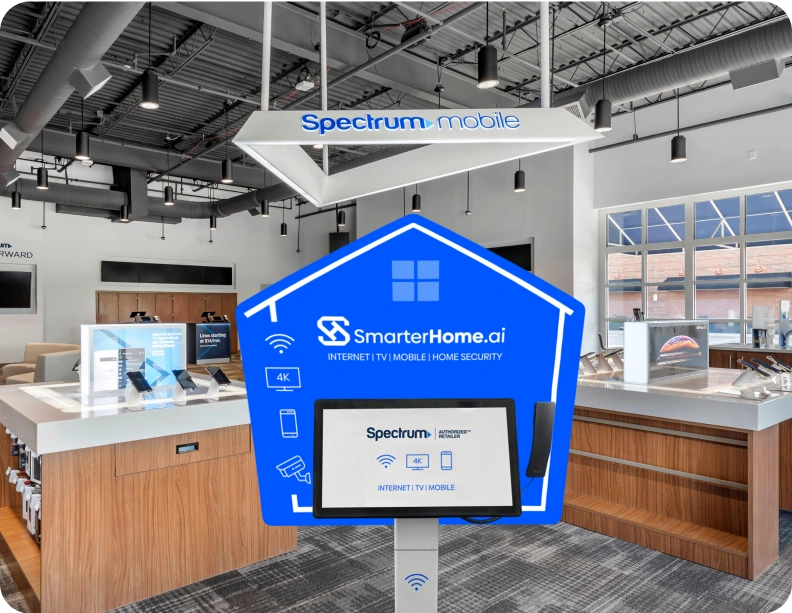
The Kiosk Advantage
Internet
Stop paying for 1,000 Mbps if you only need 300. We match your household's real usage (remote work, gaming, streaming) to the perfect plan.
Mobile
Review hyper-local mobile coverage for your commute and favorite spots (like Ben T. Davis Beach) to avoid dead zones and ensure you have reliable 5G data.
TV
We guarantee you get the Buccaneers, Lightning, and regional sports networks you want - without the filler channels you don't.
Home Security
Compare the top security providers in your area. Doorbell cameras, floodlight systems, and smart-home monitoring options will protect your historic or new Tampa home.
Ready to Stop Overpaying in Chatsworth, CA and Lock in a Better Plan Today?
Dealing with increasing costs and inconsistent service can be frustrating for households in Chatsworth. The SmarterHome.ai Kiosk provides a simpler way to explore your options with help from experienced representatives who understand the area. You can stop by, ask questions, and compare internet, TV, and mobile plans in one place. This makes it easier to find services that match your lifestyle while keeping expenses under control, all without delays or unnecessary complications.
Call us today!
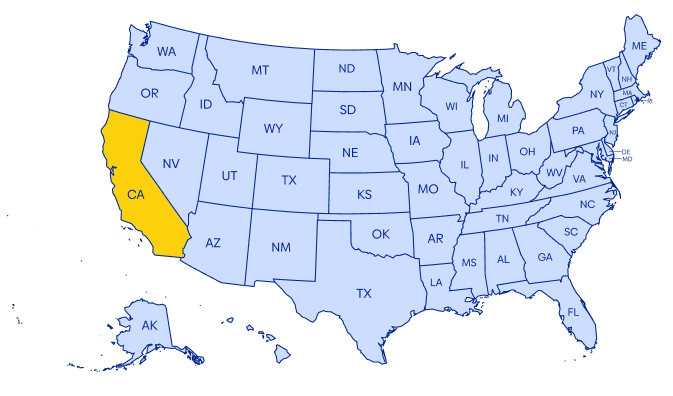
Which Neighborhoods Have a SmarterHome.ai Kiosk Nearby Chatsworth, CA
Upgrade Your Home Services in Chatsworth, CA
SmarterHome.ai is here to help Chatsworth residents create homes that are well-connected, secure, and easy to manage. Through our kiosk and skilled professionals, you can explore internet providers, home security systems, and smart home solutions designed around your household’s lifestyle. Whether your priorities include high-speed connectivity for work, uninterrupted streaming, or reliable home monitoring, we recommend options that deliver consistent performance and integrate seamlessly. Our aim is to make choosing services stress-free, improve everyday convenience, and ensure that your home setup truly supports your needs. For additional insights or guidance tailored to your situation, check out our blog or reach out to speak with one of our experts.
Need help choosing?
Explore our blog for tips or give us a call to find the best internet and home security options for your home.
Our Address
21534 Devonshire St, Chatsworth, CA 91311, United States
Working Hours
M–F 10am–6pm
Sat 10am–2pm
Sun Closed
Phone Number
(855) 205-0439
Our team is available to help!
Call Center Hours
M – F: 4am – 8pm
Sat: 5am – 8pm
Sun: 6am – 7pm
(Pacific Time)