
Limited-time deals waiting for you at Westminster, CA . Don’t miss them!


Discover Reliable Spectrum Internet, TV, and Mobile Services in Westminster, CA Through SmarterHome.ai
Your Local Source for Spectrum Services in Westminster, CA
SmarterHome.ai + Spectrum bring you:
- High-speed internet
- No-contract mobile plans
- Easy bundles
Ultimate WiFi ™
Faster. Protected. Always On.
Stays online during power outages or service disruptions
8-hour wireless battery-backup Restrictions apply
T&Cs Apply

- All-In-One Deal: Internet + Unlimited Mobile, No Extra Charge!
- Save and Enjoy: Express Connect Kit and Professional Instalation Included
- No Contracts: Data Caps or Hidden Fees
Pricing starting from
Terms and Conditions Apply
SPECTRUM Internet + Mobile + TV Stream
500 Mbps
$30/mo
Internet Price when Bundled with Mobile and TV
- Speeds up to 500 Mbps
- Advanced WiFi
- 85+ TV Channels
- Unlimited Mobile Line
- Contract Buyout
SPECTRUM Internet + Mobile
500 Mbps
$50/mo
for 1 year
- Speeds up to 500 Mbps
- FREE Modem + Antivirus
- Unlimited Mobile line
SPECTRUM Internet Gig + WiFi + Mobile
1 Gig
$70/mo
for 1 year
- Speeds up to 1 Gig
- Advanced WiFi
- Unlimited Mobile line
Spectrum Services Available
at Our Westminster, CA Location
- Activate Internet, Mobile, and TV plans on the spot
- Get expert guidance from our team—no tech visits required
- Access Spectrum’s most popular plans in minutes
Smart Savings Start Here
Bundle Internet, TV, Mobile & Voice and enjoy the best Service!
Get FREE Mobile for 12 Months!*
Terms & Conditions Apply

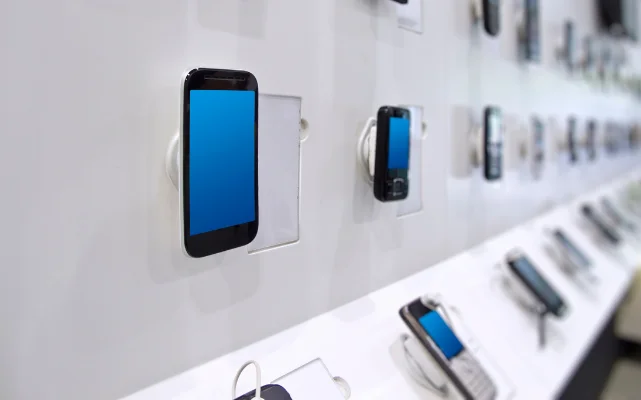
Walk Into a Local Spectrum Store and Get Instant Setup with No Waiting Required
Make your Spectrum setup easy by visiting the Westminster Premier store, where everything is handled in one place. From comparing Internet, TV, and mobile plans to activating services and collecting your equipment, the process is designed to be fast and stress free. You get direct help from trained staff who can walk you through account setup or upgrades. Walk in with questions and leave fully connected the same day, ready to enjoy smooth streaming, browsing, and reliable service at home.
Why Choose Us?
Instant Activations
Visit our store to instantly activate internet and mobile services with equipment and mobile device setup. No shipping, no delays.
Exclusive In-Store Deals
Unlock special promotions on Spectrum phones, internet, and TV bundles. Some devices may even be free.
Easy Upgrades for Existing Customers
Already with Spectrum? Call or visit to quickly add mobile, TV, or home phone to your plan. We can help guide you to the best plans that fit your needs.
Visit Our Spectrum Premier Kiosk in Westminster, CA
Your internet and TV services should support your lifestyle, not slow it down. If your Spectrum plan in Westminster feels outdated, costly, or not aligned with your usage, you can review better options with ease. Explore faster speeds for better streaming, check bundle opportunities that may improve value, and adjust your setup based on how your household actually uses the internet. Whether you are upgrading devices, moving homes, or seeking savings, you receive simple, clear guidance tailored to your needs.
Frequently Asked Questions
Why does internet performance vary in different parts of a home in Westminster?
Internet performance in Westminster can vary because signals weaken as they pass through walls, floors, and household appliances. The location of your router plays a major role in how evenly coverage spreads across your home. SmarterHome.ai helps you understand these factors so you can identify why certain rooms may have weaker connectivity. With the right adjustments, you can reduce dead zones and create a more balanced, reliable connection throughout your entire living space.
What are signs that my internet plan is not meeting my needs in Westminster?
If your internet frequently lags during streaming, drops quality during video calls, or slows when multiple devices connect, your plan may not be sufficient in Westminster. SmarterHome.ai helps you evaluate these patterns so you can clearly understand whether your usage has outgrown your current speed. Recognizing these signs early helps you avoid daily frustration and ensures your household gets the performance needed for smooth online activity across all devices.
How can households in Westminster improve shared internet usage?
In Westminster homes with multiple users, internet performance can be affected when everyone streams or browses at the same time. SmarterHome.ai helps you understand how shared usage impacts speed and stability. Simple steps like prioritizing important tasks, limiting background downloads, or upgrading your plan can make a noticeable difference. These adjustments help ensure that everyone in the household enjoys a more balanced and consistent internet experience without constant slowdowns.
What should I consider before changing my internet service in Westminster?
Before changing internet service in Westminster, consider your current usage habits, number of connected devices, and any performance issues you regularly face. SmarterHome.ai helps break down these factors so you can make an informed choice instead of guessing. Understanding your needs first ensures you select a plan that supports streaming, work, and everyday browsing without interruptions or unnecessary costs, making the transition smoother and more effective for your household.
How can I maintain stable internet during busy hours in Westminster?
Maintaining stable internet during busy hours in Westminster often requires managing network load and ensuring your equipment is functioning properly. SmarterHome.ai suggests practical improvements like reducing simultaneous heavy usage or optimizing router placement. In some cases, upgrading to a higher speed plan can also help maintain consistent performance. These steps reduce congestion and help ensure your connection stays stable even when demand is high across multiple devices in your home.

Disclaimer:
*Product speed and pricing depend on provider plans and availability.
Call our professional agents for more information.
The prices and speeds displayed on this page are estimated packages available in your area and are subject to change.
For the most accurate and up-to-date information, please contact us.
Copyright © 2026 SmarterHome.ai