

Best Internet Providers in Fort Myers, FL | SmarterHome.ai
Tired of Buffering? SmarterHome.ai is Your Golden Triangle Speed Upgrade in Fort Myers, FL
From remote work to streaming at home, Long Beach residents rely on dependable connections. SmarterHome.ai showcases internet, mobile, and TV services tailored to local availability, usage needs, and budget priorities.
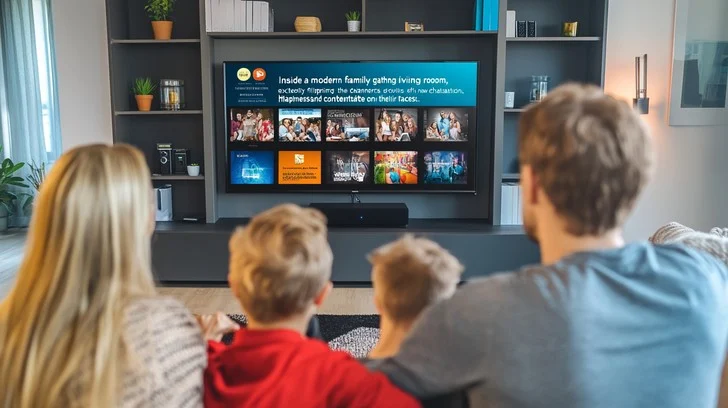
SmarterHome.ai is your trusted provider of home services in Fort Myers, FL.
Whether catching waves at the coast or working from a high-rise apartment, Long Beach residents need internet that keeps up with their active lifestyles. Streaming movies, video conferencing, and online classes demand reliable service, and SmarterHome.ai helps locals explore fiber, cable, and satellite options. By highlighting differences in speed, data limits, and pricing, it’s easier to choose plans that fit your daily routine. From beachside homes to bustling neighborhoods, residents can find internet, mobile, and TV services that support both work and play. Long Beach connections make life smoother, keeping entertainment, communication, and productivity running without interruptions.

Starting from
$60/mo
500 Mbps
- No Contracts. Get your freedom.
- Fiber Plans include AT&T ActiveArmor 24/7 Network Security Protection.
- Speeds up to 5 Gigs with Select Plans.

Starting from
$30/mo
500 Mbps
- Contract Buyout Spectrum Internet® up to $500.
- No Contracts, Data Caps or Hidden Fees.
- Up to 1 Gig Internet Speed (wireless speeds may vary).

Starting from
$49.99/mo
500 Mbps
- No Contracts or Hidden Fees (Transparent pricing).
- Fiber Plans include a FREE Wi-Fi Router; Fiber 500+ comes with a FREE Amazon Eero Router.
- Speeds up to 5,000 Mbps (wireless speeds may vary).
Welcome to Long Beach: Surf, City Life, and Seamless Connections
In Long Beach, dependable internet is key for residents balancing work, school, and entertainment. Homes across the city use their connections for video calls, streaming shows, online classes, and gaming. Local businesses, schools, and community centers also depend on stable internet for daily operations. SmarterHome.ai helps Long Beach residents compare local providers, including fiber, cable, and satellite, looking at speed, data limits, and cost. Whether you live near the coast, in apartments, or in suburban neighborhoods, choosing the right plan ensures smooth connectivity across multiple devices. With reliable service, residents can manage work, school, and entertainment without interruptions. SmarterHome.ai helps simplify selecting the best plan.
What Should I Look for in a Fort Myers, FL Mobile Plan?
Need faster downloads for work or smoother streaming for entertainment? Long Beach residents can rely on SmarterHome.ai to show all local options—from fiber to 5G, cable to satellite—so every household gets the right service.
Mobile Service That Moves With You
Residents of Long Beach need mobile connectivity that works at home, work, or along the coast. LTE and 5G networks support remote work, online classes, and streaming entertainment across multiple devices. Comparing coverage maps, speeds, and pricing helps identify the right provider for different neighborhoods, from high-rise apartments to suburban streets.
Many plans include shared data options for families or households with multiple devices. Testing signal strength near beaches, parks, or shopping areas ensures smooth reception across the city. With reliable mobile service, Long Beach residents can communicate, stream, and browse the web without interruptions, making daily routines for work, school, and entertainment easier to manage.
Tailored TV for Every Home
Long Beach households face the challenge of diverse viewing habits across multiple family members. Some want local and national news, others prefer live sports, and kids need family-friendly shows. SmarterHome.ai helps residents navigate these options, comparing providers by channels, bundles, and cost. Plans often allow multi-device use, so everyone can watch their preferred content at the same time. Residents can also mix traditional cable with streaming-based services, creating a flexible setup for their needs.
With coverage maps and pricing comparisons, households can make informed decisions about which provider is right for them. Long Beach residents no longer have to compromise between entertainment and cost—SmarterHome.ai helps ensure you get both.
Security That Fits Your Lifestyle
Residents of Long Beach can protect their homes with smart systems designed for convenience and peace of mind. SmarterHome.ai helps compare cameras, smart locks, and full security setups, both contract and no-contract, tailored to different neighborhood layouts and household needs. Families can monitor activity remotely, keep an eye on children, and manage access easily from a smartphone or tablet. Comparisons focus on reliability, features, and pricing, ensuring households find the right system for their needs.
With easy installation and flexible management options, Long Beach residents can secure both older homes and modern apartments. Smart security gives families confidence and control without complicated setup or unnecessary costs.
Ready to Make Fort Myers, FL Home Services Simple?
Hunting down the right internet, TV, mobile, and home security can be time-consuming and overwhelming – fine print, promo clocks, and a dozen tabs open. Let the SmarterHome.ai team do the heavy lifting. Our Tampa-savvy agents make everything easier to compare, clearer to understand, and friendlier to your budget.
With us, you can:
Compare internet providers (fiber, cable, 5G home internet) by speed, reliability, and price
Pick TV channel packages with the sports and shows you actually watch
Choose mobile phone plans with the best state-wide coverage and real high-speed data allotments.
Explore home security systems (handled separately) that fit your home and smart devices
Ready to find your BEST DEAL?
Reliable Connections for Long Beach Living
From working at home to binge-watching your favorite shows, Long Beach homes demand plans that perform. SmarterHome.ai guides you to the best internet, TV, and mobile deals so you avoid surprises and wasted time. Simple, clear, and worth it.
Enhance your Long Beach home connectivity today.
Call us today!
Where Can I Find Internet Provider Deals Near Fort Myers, FL?

Upgrade Your Home Services in Fort Myers, FL
At SmarterHome.ai, we make it easy to protect your home and enjoy fast, reliable internet—all in one place. We connect you with top internet providers in Fort Myers, FL and offer smart security solutions tailored to your needs. Whether you want to prevent break-ins, check your home remotely, or upgrade your WiFi, we’ve got you covered with custom plans that fit your lifestyle
Need help choosing?
Explore our blog for tips or give us a call to find the best internet and home security options for your home.
Frequently Asked Questions
How can I set up reliable Wi-Fi in a multi-story Long Beach home?
Multi-story homes often face Wi-Fi dead zones. Residents can place routers centrally, use mesh Wi-Fi systems, or add access points on different floors. SmarterHome.ai helps Long Beach households compare providers offering high-speed internet capable of supporting multiple devices. Proper setup ensures seamless streaming, gaming, video calls, and remote work across the entire home without buffering or signal drops.
How can Long Beach residents stream multiple shows at once?
Streaming multiple shows requires sufficient bandwidth. Fiber or high-tier cable plans provide the speeds needed for multiple HD or 4K streams simultaneously. SmarterHome.ai helps Long Beach households compare providers, speeds, and data limits to ensure smooth viewing across multiple devices. Combining optimized Wi-Fi setup with high-speed plans prevents buffering, keeping every family member entertained at the same time.
What options exist for outdoor Wi-Fi in Long Beach?
Outdoor Wi-Fi can be enhanced using mesh systems, outdoor access points, or strong 5G mobile plans. Long Beach residents near patios, backyards, or gardens can enjoy uninterrupted streaming or remote work outside. SmarterHome.ai compares local providers to help households choose plans that support reliable coverage for outdoor areas, ensuring consistent connectivity throughout the home and yard.
Can I get temporary internet service in Long Beach?
Yes! Some providers offer short-term plans, portable hotspots, or pay-as-you-go internet in Long Beach. These solutions are perfect for temporary residents, renovations, or trial periods. SmarterHome.ai helps households compare providers and options, ensuring reliable connectivity without long-term commitments. Temporary services allow residents to stay connected for work, online learning, or streaming during transitional periods.
How do I reduce latency for video calls in Long Beach?
Reducing latency improves call quality. Residents can use wired connections, high-speed fiber or cable, and minimize simultaneous bandwidth-heavy activities. SmarterHome.ai helps Long Beach households compare low-latency providers and plans, ensuring smooth video calls for work, school, or personal use. Optimizing router placement and network settings also enhances performance, keeping meetings uninterrupted and clear.

Go Back
Disclaimer:
*Product Speed and Pricing depends on provider plans and availability.
Call our professional agents for more information.
The prices and speeds displayed on this page are estimated packages available in your area and are subject to change.
For the most accurate and up-to-date information, please contact us.
Copyright © 2026 SmarterHome.ai