





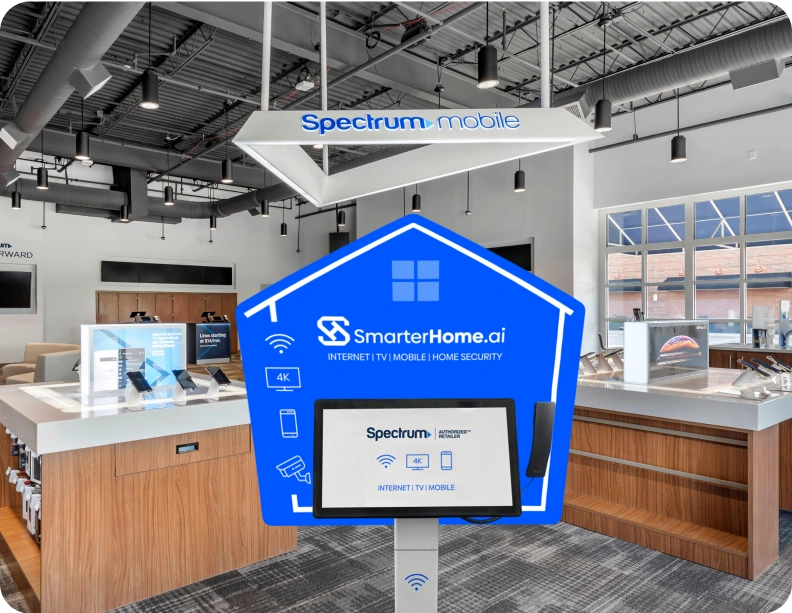


Charlotte living is fast-paced, whether you’re navigating uptown’s financial district, cheering at Bank of America Stadium, or managing family life in Ballantyne. Your home services need to keep up with your busy lifestyle. SmarterHome.ai helps Charlotte residents compare internet, TV, and mobile plans that match how they actually live. We break down bundle savings, highlight reliable providers, and make sure there are no hidden surprises in the fine print.
Finding dependable home services in Charlotte can vary from one neighborhood to another. Uptown condos, suburban homes in SouthPark, and apartments near UNCC each have different service availability. SmarterHome.ai checks what’s truly accessible at your address, from fiber and cable to 5G home internet, so you know your options before committing.
Instead of decoding provider jargon alone, we explain speeds, equipment requirements, and contract terms in plain language. Whether you’re upgrading slow service, moving into a new home, or managing a household on a budget, we help Charlotte residents compare internet, TV, and mobile options side by side for smarter choices.
Charlotte is a city of neighborhoods, from historic Dilworth to the modern energy of Uptown, and from Lake Norman’s waterfront homes to SouthPark’s bustling streets. Reliable connectivity matters for work, school, and entertainment across these diverse communities.
SmarterHome.ai helps Charlotte residents find plans that work for their lifestyle, whether it’s streaming Panthers games, working remotely from home, or staying connected to family and smart devices. Our goal is to make home services simple, fast, and reliable.
In Charlotte, fast and stable internet isn’t a luxury; it’s essential. Video conferences, online learning, streaming, and smart home devices all rely on dependable connectivity. A good provider ensures coverage that holds up whether you’re downtown or near Lake Wylie.
Whether commuting along I-77 or heading to a Panthers game, your mobile plan should perform everywhere. Charlotte residents need high-speed, reliable mobile data that supports hotspots for laptops, tablets, and multiple users at once.
SmarterHome.ai compares local mobile plans based on coverage, data limits, and hotspots. We help you choose a provider that works for daily errands, travel, and remote work without hidden restrictions.
How many channels do you really need? Some Charlotte homes want sports and local news, while others prefer flexible streaming packages with fewer distractions.
We compare channel lineups, DVR options, streaming access, and contract flexibility so you only pay for what you watch. SmarterHome.ai helps Charlotte residents find TV plans that match lifestyles and budgets.
Charlotte households often balance busy schedules with smart home needs. Security cameras, motion sensors, video doorbells, and app-based alerts help you monitor your property even when you’re away.
SmarterHome.ai helps you compare smart home security options based on monitoring services, compatibility, and installation preferences, ensuring peace of mind without unnecessary complexity.
Hunting down the right internet, TV, mobile, and home security can be time-consuming and overwhelming – fine print, promo clocks, and a dozen tabs open. Let the SmarterHome.ai team do the heavy lifting. Our Tampa-savvy agents make everything easier to compare, clearer to understand, and friendlier to your budget.
Compare internet providers (fiber, cable, 5G home internet) by speed, reliability, and price
Pick TV channel packages with the sports and shows you actually watch
Choose mobile phone plans with the best state-wide coverage and real high-speed data allotments.
Explore home security systems (handled separately) that fit your home and smart devices
Simplify Your Search for Internet, TV, and Mobile in Charlotte
Charlotte’s fast-growing neighborhoods mean service options can vary more than you expect. SmarterHome.ai helps you compare what’s available where you live and understand which plans offer the right mix of speed, reliability, and value. No pressure, no confusing terms, just straightforward guidance.
Explore your options online or get in touch today to connect with ease and clarity.
At SmarterHome.ai, we make it easy to protect your home and enjoy fast, reliable internet—all in one place. We connect you with top internet providers in Charlotte, NC and offer smart security solutions tailored to your needs. Whether you want to prevent break-ins, check your home remotely, or upgrade your WiFi, we’ve got you covered with custom plans that fit your lifestyle
Need help choosing?
Explore our blog for tips or give us a call to find the best internet and home security options for your home.
Charlotte neighborhoods have a mix of fiber, cable, and 5G home internet options. Uptown condos, SouthPark homes, and suburban areas may have different availability, so checking your specific address is essential for reliable service.
Yes. Many providers offer combined Internet + TV + Mobile packages. We guide Charlotte households through cost-effective bundle options, showing savings clearly and helping match plans to actual usage habits.
Internet speed needs vary depending on household size, number of devices, and usage. For HD streaming and remote work, 200–400 Mbps is usually enough, while larger families or smart homes may benefit from 500 Mbps to 1 Gbps. SmarterHome.ai helps you compare speeds for your needs.
Smart security systems with video doorbells, cameras, motion sensors, and app access are commonly used. SmarterHome.ai helps Charlotte residents evaluate systems based on home layout, monitoring preferences, and DIY vs. professional installation.
Yes. Many providers offer plans optimized for multiple devices and high-speed usage, perfect for online learning or remote work. SmarterHome.ai helps identify plans with reliable bandwidth, flexible data options, and bundle opportunities for student households.
Go Back
Disclaimer:
*Product Speed and Pricing depends on provider plans and availability.
Call our professional agents for more information.
The prices and speeds displayed on this page are estimated packages available in your area and are subject to change.
For the most accurate and up-to-date information, please contact us.
Copyright © 2026 SmarterHome.ai
SmarterHome.ai
We firmly believe that the internet should be available and accessible to anyone, and are committed to providing a website that is accessible to the widest possible audience, regardless of circumstance and ability.
To fulfill this, we aim to adhere as strictly as possible to the World Wide Web Consortium’s (W3C) Web Content Accessibility Guidelines 2.1 (WCAG 2.1) at the AA level. These guidelines explain how to make web content accessible to people with a wide array of disabilities. Complying with those guidelines helps us ensure that the website is accessible to all people: blind people, people with motor impairments, visual impairment, cognitive disabilities, and more.
This website utilizes various technologies that are meant to make it as accessible as possible at all times. We utilize an accessibility interface that allows persons with specific disabilities to adjust the website’s UI (user interface) and design it to their personal needs.
Additionally, the website utilizes an AI-based application that runs in the background and optimizes its accessibility level constantly. This application remediates the website’s HTML, adapts Its functionality and behavior for screen-readers used by the blind users, and for keyboard functions used by individuals with motor impairments.
If you’ve found a malfunction or have ideas for improvement, we’ll be happy to hear from you. You can reach out to the website’s operators by using the following email
Our website implements the ARIA attributes (Accessible Rich Internet Applications) technique, alongside various different behavioral changes, to ensure blind users visiting with screen-readers are able to read, comprehend, and enjoy the website’s functions. As soon as a user with a screen-reader enters your site, they immediately receive a prompt to enter the Screen-Reader Profile so they can browse and operate your site effectively. Here’s how our website covers some of the most important screen-reader requirements, alongside console screenshots of code examples:
Screen-reader optimization: we run a background process that learns the website’s components from top to bottom, to ensure ongoing compliance even when updating the website. In this process, we provide screen-readers with meaningful data using the ARIA set of attributes. For example, we provide accurate form labels; descriptions for actionable icons (social media icons, search icons, cart icons, etc.); validation guidance for form inputs; element roles such as buttons, menus, modal dialogues (popups), and others. Additionally, the background process scans all the website’s images and provides an accurate and meaningful image-object-recognition-based description as an ALT (alternate text) tag for images that are not described. It will also extract texts that are embedded within the image, using an OCR (optical character recognition) technology. To turn on screen-reader adjustments at any time, users need only to press the Alt+1 keyboard combination. Screen-reader users also get automatic announcements to turn the Screen-reader mode on as soon as they enter the website.
These adjustments are compatible with all popular screen readers, including JAWS and NVDA.
Keyboard navigation optimization: The background process also adjusts the website’s HTML, and adds various behaviors using JavaScript code to make the website operable by the keyboard. This includes the ability to navigate the website using the Tab and Shift+Tab keys, operate dropdowns with the arrow keys, close them with Esc, trigger buttons and links using the Enter key, navigate between radio and checkbox elements using the arrow keys, and fill them in with the Spacebar or Enter key.Additionally, keyboard users will find quick-navigation and content-skip menus, available at any time by clicking Alt+1, or as the first elements of the site while navigating with the keyboard. The background process also handles triggered popups by moving the keyboard focus towards them as soon as they appear, and not allow the focus drift outside it.
Users can also use shortcuts such as “M” (menus), “H” (headings), “F” (forms), “B” (buttons), and “G” (graphics) to jump to specific elements.
We aim to support the widest array of browsers and assistive technologies as possible, so our users can choose the best fitting tools for them, with as few limitations as possible. Therefore, we have worked very hard to be able to support all major systems that comprise over 95% of the user market share including Google Chrome, Mozilla Firefox, Apple Safari, Opera and Microsoft Edge, JAWS and NVDA (screen readers).
Despite our very best efforts to allow anybody to adjust the website to their needs. There may still be pages or sections that are not fully accessible, are in the process of becoming accessible, or are lacking an adequate technological solution to make them accessible. Still, we are continually improving our accessibility, adding, updating and improving its options and features, and developing and adopting new technologies. All this is meant to reach the optimal level of accessibility, following technological advancements. For any assistance, please reach out to